CSS Getting Started
A CSS file is simply a plain text file saved with the .css extension.

Getting Started with CSS
In this tutorial you'll learn how easy it is to add style and formatting information to the web pages using CSS. But, before we begin, make sure that you have some working knowledge of HTML.
If you're just starting out in the world of web development,Without further ado, let's get started with the Cascading Style Sheets (CSS).
Including CSS in HTML Documents
CSS can either be attached as a separate document or embedded in the HTML document itself. There are three methods of including CSS in an HTML document:

In this tutorial we will cover all these three methods for inserting CSS one by one.
Inline Styles
Inline styles are used to apply the unique style rules to an element by putting the CSS rules directly into the start tag. It can be attached to an element using the style attribute.
The style attribute includes a series of CSS property and value pairs. Each "property: value" pair is separated by a semicolon (;), just as you would write into an embedded or external style sheets. But it needs to be all in one line i.e. no line break after the semicolon, as shown here:
Embedded Style Sheets
Embedded or internal style sheets only affect the document they are embedded in.
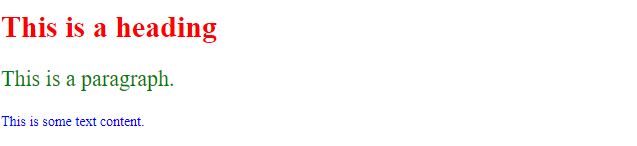
Embedded style sheets are defined in the < head> section of an HTML document using the < style> element. You can define any number of < style> elements in an HTML document but they must appear between the < head> and < /head> tags. Let's take a look at an example:

External Style Sheets
An external style sheet is ideal when the style is applied to many pages of the website.
An external style sheet holds all the style rules in a separate document that you can link from any HTML file on your site. External style sheets are the most flexible because with an external style sheet, you can change the look of an entire website by changing just one file.
You can attach external style sheets in two ways — linking and importing.
Linking External Style Sheets
Before linking, we need to create a style sheet first. Let's open your favorite code editor and create a new file. Now type the following CSS code inside this file and save it as "style.css".
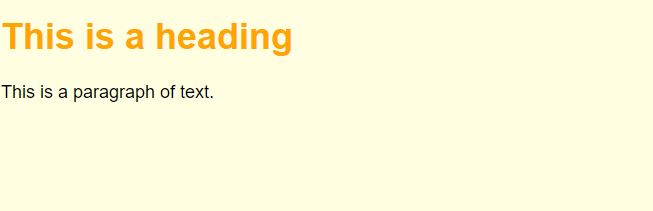
An external style sheet can be linked to an HTML document using the < link> tag. The < link> tag goes inside the < head> section, as you can see in the following example:
Importing External Style Sheets
The @import rule is another way of loading an external style sheet. The @import statement instructs the browser to load an external style sheet and use its styles.
You can use it in two ways. The simplest is within the header of your document. Note that, other CSS rules may still be included in the < style> element. Here's an example:
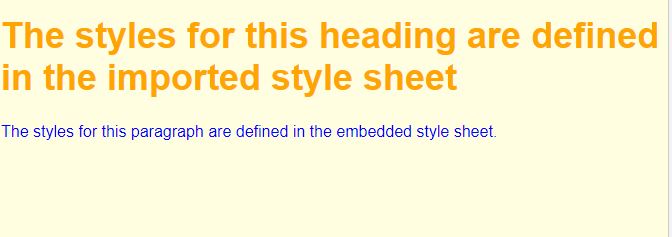
Similarly, you can use the @import rule to import a style sheet within another style sheet.